

Cloud
5 Signs Your Enterprise Is Ready for Cloud Migration
Legacy infrastructure costs, scaling bottlenecks, and compliance gaps — when to make the move.
March 2026Find the best way to choose suitable CRM software to manage your business.
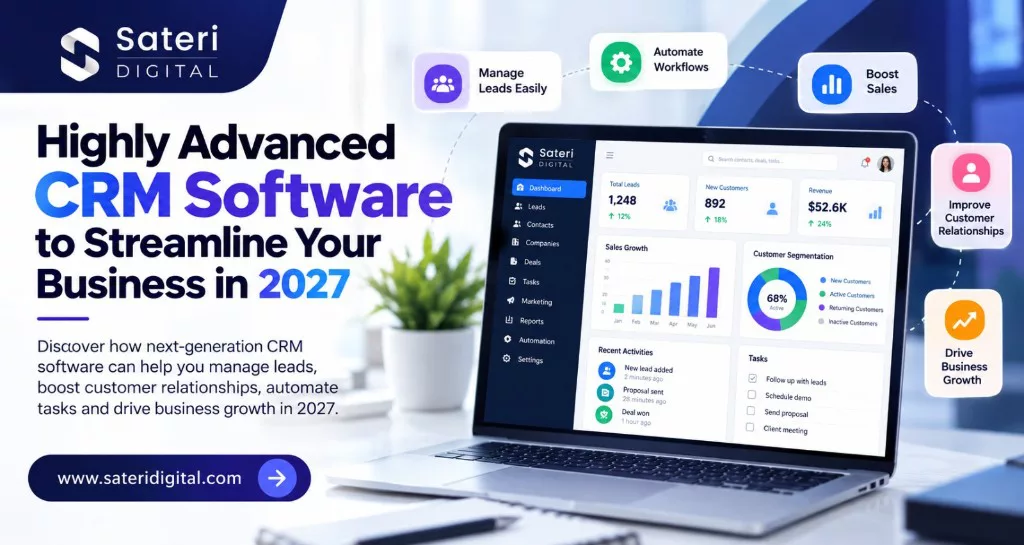
Find the best way to choose suitable CRM software to manage your business. Advanced CRM software is a business application that helps organizations manage customer information, sales pipelines, communication, marketing activities, and customer service through a connected system.
Artificial intelligence (AI), workflow automation, predictive analytics, and connected business applications are changing how companies manage customer relationships and sales operations.
Modern CRM platforms can integrate with websites, eCommerce stores, ERP systems, email platforms, and other business applications.
Depending on the platform and configuration, advanced CRM solutions can offer:
The result is improved visibility across customer-facing teams and fewer repetitive administrative tasks.
For growing businesses, the goal is no longer simply to store customer information. It is to turn that information into meaningful actions, stronger customer relationships, and better-informed decisions.
CRM technology is evolving through AI-powered sales, workflow automation, and connected customer data. Here are four key industry findings.
Salesforce’s 2026 State of Sales report found that 87% of surveyed sales organizations used AI, while 54% of sellers had used AI agents. AI can help automate repetitive tasks, prioritize leads, and improve sales productivity.
Salesforce reported that 91% of surveyed Indian sales professionals considered AI agents essential to business success. Connected CRM systems can help businesses improve lead management and sales workflows.
Gartner reported a 38% increase in AI spending among surveyed customer service leaders. CRM integration with AI-powered support tools can help streamline enquiries, manage customer histories, and improve response efficiency.
Forrester’s The State of CRM, 2026 highlights the growing role of AI and integrated customer-facing capabilities. Connecting CRM with websites, ERP systems, and marketing platforms helps reduce data silos and improve workflow efficiency.
A centralized CRM database brings customer details, communication history, preferences, enquiries, and sales opportunities together.
When properly integrated, it helps authorized team members access consistent information without searching across multiple spreadsheets or applications.
Lead management features help businesses capture enquiries from website forms, landing pages, and connected marketing platforms.
Teams can assign leads, track their status, set priorities, and monitor progress from the first enquiry to the final sales outcome.
Missed follow-ups can delay sales and create a poor customer experience.
CRM automation can trigger reminders, assign tasks, send approved communications, and notify sales representatives when a lead requires attention.
Businesses should define clear rules to prevent duplicate messages and inappropriate follow-ups.
Depending on the platform, AI can summarize customer interactions, suggest next steps, identify patterns in sales data, and support forecasting.
These insights help teams make better-informed decisions, but predictions should be reviewed against actual business conditions and reliable data.
A visual sales pipeline allows managers to monitor opportunities across stages such as new enquiry, qualified lead, proposal, negotiation, and closed deal.
Pipeline reporting can help identify delayed opportunities and areas where sales processes need improvement.
CRM-connected marketing tools can organize customer segments and support relevant campaigns through email and other permitted communication channels.
With suitable consent, data controls, and platform support, businesses can create more relevant communication journeys rather than sending the same message to every contact.
An integrated CRM can connect customer enquiries, support cases, account details, and previous interactions.
This helps service teams understand the context of a request and coordinate resolutions more efficiently.
CRM dashboards can display metrics such as lead response time, conversion rate, sales pipeline value, customer retention, and team performance.
Accurate reporting depends on consistent data entry, appropriate integrations, and clearly defined metric calculations. Data and analytics work is useful when those metrics need to stay consistent across systems.
Connecting CRM with other business systems can reduce duplicate data entry and improve visibility across sales and operations.
For example, an integrated setup may allow an authorized sales representative to view relevant order or invoice information alongside a customer profile.
The exact capabilities depend on the systems, permissions, and integration design.
Advanced CRM software should support appropriate access permissions, secure authentication, audit trails where available, and responsible handling of customer information.
Businesses should also review data retention, privacy requirements, backups, and the security practices of connected applications.
Consider a company receiving enquiries through its website, email campaigns, and sales representatives.
Without an integrated workflow, employees may need to copy contact details, assign leads manually, schedule reminders, and prepare reports separately.
With a properly configured CRM, the workflow can become more organized:
Automation should handle repeatable tasks while employees retain responsibility for important decisions, sensitive communications, and exceptional cases.
| Business challenge | How CRM can help |
|---|---|
| Scattered customer information | Centralizes customer records |
| Delayed follow-ups | Creates reminders and automated tasks |
| Limited sales visibility | Tracks leads and pipeline stages |
| Repetitive administrative work | Automates routine workflows |
| Disconnected applications | Synchronizes data through integrations |
| Inconsistent customer support | Provides interaction histories and case tracking |
| Difficult performance reporting | Consolidates relevant metrics into dashboards |
The business value of CRM should be measured through outcomes such as faster lead response, improved data completeness, reduced manual work, stronger conversion rates, and better customer experiences—not simply by the number of features installed.
Before choosing a CRM platform, evaluate your business requirements rather than selecting a solution based only on popularity.
Consider these questions:
A small business may prioritize affordability and ease of use, while a larger organization may require complex integrations, detailed permissions, and more advanced reporting.
The right CRM is the one that fits your processes, supports adoption, and delivers measurable value.
Installing a CRM system is only one part of building an effective customer management process. Its value increases when relevant information flows between the tools your business already uses.
For example, connecting CRM with an ERP system can link customer records with operational information. Website integration can capture enquiries automatically, while eCommerce integration can help sales and support teams access relevant order information.
Sateri Digital’s ERP & CRM Solutions service focuses on connecting platforms such as Salesforce, HubSpot, Microsoft Dynamics, SAP, and NetSuite with websites, applications, and internal tools.
Its published capabilities include bidirectional data synchronization, workflow automation, reporting integrations, data mapping, and monitoring for integration errors.
These capabilities are particularly relevant to organizations that want to reduce disconnected workflows without unnecessarily replacing their existing systems.
CRM development is likely to continue emphasizing connected data, AI-assisted decision-making, and automation across customer-facing processes.
Businesses preparing for 2027 should focus on four priorities:
AI capabilities can create meaningful opportunities, but successful adoption requires clear processes, responsible oversight, reliable information, and appropriate safeguards. Teams preparing those workflows can also read Practical AI Adoption: Beyond the Proof of Concept.
Advanced CRM software can help businesses move beyond basic contact management towards more connected, efficient, and customer-focused operations.
By combining centralized customer data, intelligent lead management, workflow automation, useful analytics, and reliable integrations, organizations can reduce administrative friction and help teams focus on building stronger customer relationships.
The most effective CRM strategy is not necessarily the one with the most advanced features. It is the one that solves real business problems and integrates smoothly with the way your organization works.
Looking to connect your CRM with your website, ERP, or existing business applications?
Explore Sateri Digital’s ERP & CRM integration services to learn how connected business systems and tailored workflows can support your organization’s operational goals.
Visit Sateri Digital to explore its technology services and discuss your business requirements.
Answers to common questions about choosing and using advanced CRM software.
Advanced CRM software is a business application that helps organizations manage customer information, sales pipelines, communication, marketing activities, and customer service through a connected system. Depending on the platform and configuration, it can also support automation, AI-assisted insights, reporting, and integration with other business applications.
Evaluate your business requirements rather than choosing only by popularity. Check whether it supports your sales and customer service workflows, integrates with your website, ERP, and eCommerce systems, provides the reporting and automation you need, is easy for employees to use, offers suitable security and data controls, can scale, and has clear implementation, licensing, and maintenance costs. The right CRM fits your processes, supports adoption, and delivers measurable value.
Useful capabilities include centralized customer profiles and interaction histories, lead capture and assignment, sales pipeline management, automated follow-ups and reminders, AI-assisted communication and sales insights, customer service case tracking, performance dashboards, integration with existing applications, and security and access controls. The exact features depend on the platform and how it is configured.
With a properly configured CRM, a website enquiry can create or update a customer record, route to the right team member, help identify urgent or promising leads, create a task or send an approved communication, and give managers a pipeline dashboard. Automation should handle repeatable tasks while employees retain responsibility for important decisions, sensitive communications, and exceptional cases. Clear rules are needed to prevent duplicate or inappropriate follow-ups.
Installing a CRM is only one part of customer management. Its value increases when relevant information flows between the tools the business already uses. ERP integration can link customer records with operational information, website integration can capture enquiries automatically, and eCommerce integration can help sales and support teams see relevant order information. This reduces disconnected workflows without requiring every existing system to be replaced.
Measure outcomes such as faster lead response, improved data completeness, reduced manual work, stronger conversion rates, and better customer experiences, not simply the number of features installed. Accurate reporting depends on consistent data entry, appropriate integrations, and clearly defined metric calculations.
Build a reliable data foundation, automate repetitive and measurable tasks before complex workflows, connect the CRM with the systems needed for an accurate customer view, and track outcomes such as response time, productivity, conversion, and customer satisfaction. AI can summarize interactions, suggest next steps, and support forecasting, but predictions should be reviewed against actual business conditions and reliable data.
No. A small business may prioritize affordability and ease of use, while a larger organization may require complex integrations, detailed permissions, and more advanced reporting. Choose the CRM that matches current workflows and can scale as the business grows.
Modern CRM platforms can integrate with websites, eCommerce stores, ERP systems, email platforms, and other business applications. Examples discussed for connected implementations include Salesforce, HubSpot, Microsoft Dynamics, SAP, and NetSuite. Exact capabilities depend on the systems, permissions, and integration design.
Not necessarily. Connected CRM work is particularly relevant for organizations that want to reduce disconnected workflows without unnecessarily replacing existing systems. Published Sateri Digital ERP and CRM capabilities include bidirectional data synchronization, workflow automation, reporting integrations, data mapping, and monitoring for integration errors.
Legacy infrastructure costs, scaling bottlenecks, and compliance gaps — when to make the move.
March 2026
How to move from demos to production-grade ML systems that deliver measurable ROI.
February 2026
Architecture patterns for processing millions of events per day with sub-second latency.
January 2026